A candidate import can report success while silently damaging the records it creates. An identifier loses its leading zeros, an international phone number becomes a calculation, or a date changes meaning when a spreadsheet opens it. The importer has accepted the file; the recruiting team still cannot trust the resulting records. A virtual assistant preparing that file needs a test that checks meaning, not just whether the upload finishes.
This procedure covers one approved transfer into an applicant tracking system. It does not authorize a migration of every candidate record or a change to matching rules. The recruiter or system owner chooses which records belong in the transfer. The assistant prepares the working file, demonstrates how its fields will behave, and holds ambiguous rows for a decision.
Begin with a field contract
Write down what each destination field represents before opening the export in a spreadsheet. A candidate identifier is a label even if every character is a digit. A telephone number can contain a country prefix and punctuation. An application date may describe a calendar day, whereas an interview start is an instant with a time zone. Those distinctions determine which transformations are acceptable.
For example, candidate ID 000472 and ID 472 may be different records in the source system. Dropping the zeros is not harmless formatting if the destination uses that value to match an existing person. Keep the original identifier in a text field and agree on whether the destination creates its own identifier. Do not improvise a join between systems using names alone.
Use a small mapping table with the source header, destination field, data type, blank-value meaning, and transformation rule. Include a sample that exposes the risk in each field. A normal name and an ordinary date are poor tests for a process that will later encounter apostrophes, non-Latin characters, international numbers, and ambiguous month/day ordering.
Protect the original export
Retain the original in an approved restricted location and make a working copy. Record the export time, producing system, chosen filters, and number of records. Avoid emailing candidate files to yourself or placing them in a general team folder. The FTC's business guidance on personal information supports limiting collection and access to information required for the work; it does not prescribe a particular ATS configuration.
The working copy should not introduce additional personal fields merely because the export offers them. If the transfer needs a candidate ID, approved contact address, and requisition reference, exclude unrelated notes and documents. Ask the owner what should happen to temporary exports when the transfer is accepted. That decision belongs in the operating procedure before the first file is downloaded.
Opening and saving a CSV through a spreadsheet may change values. Use the application's explicit import controls where available and designate identifier columns as text. If the tool cannot preserve the required values, stop that conversion path and ask the system owner for an approved alternative. A visually correct cell is not enough; inspect the saved file that the ATS will receive.
Build a diagnostic sample
Create synthetic test rows rather than borrowing additional real candidates. Include an ID with leading zeros, a long numeric string, a name with an accent, a blank optional field, a comma inside a text field, and a date whose interpretation could be reversed. Add a record that should update an existing synthetic person and one that should create a new person.
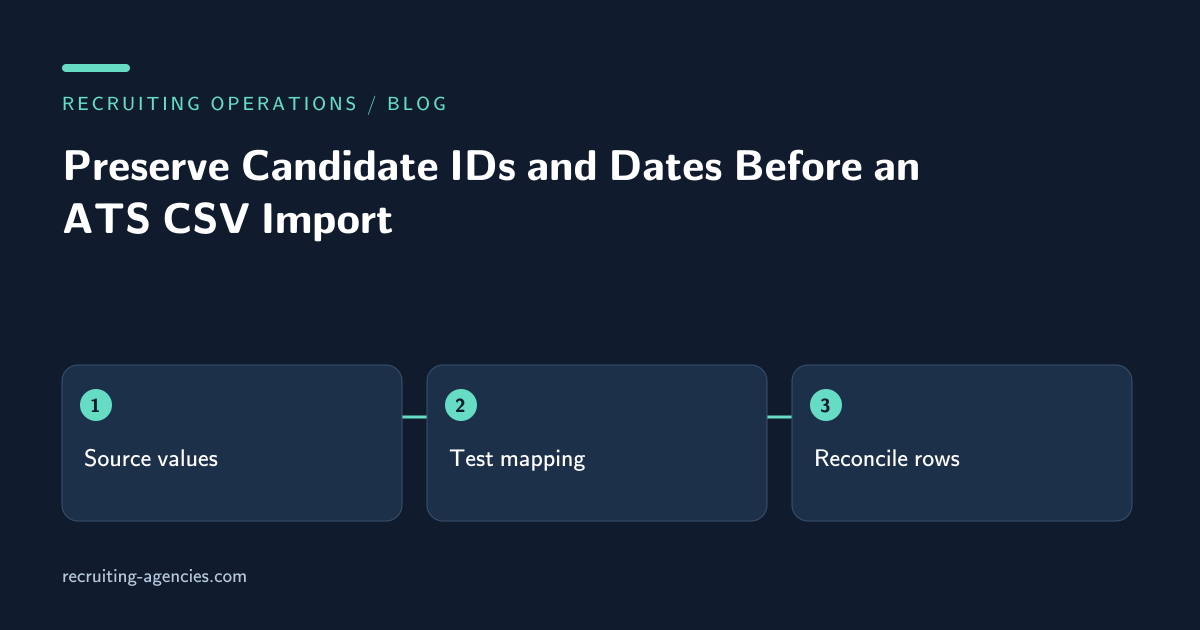
Compare three representations: the source value, the saved CSV value, and the destination value after import. A discrepancy first appearing in the CSV points to preparation. A discrepancy appearing only in the ATS points to mapping or destination interpretation. This separation prevents the assistant from repeatedly editing the file to compensate for a destination rule nobody has documented.
Do not put a real email address in a test that might trigger candidate messaging. Confirm whether imports send notifications, initiate workflows, assign owners, or change stage history. A test environment is preferable when available. Where the owner authorizes a restricted production test, use designated test records and explicitly disable or contain consequential automation through supported controls.
Resolve ambiguous dates before upload
Consider a source value of 03/04/2026. It might mean March 4 or April 3. The assistant cannot infer the intended day from the recruiter's location. Check the source field definition or original event. If the meaning remains unresolved, preserve the raw value in the approved exception record and exclude the affected date from automatic conversion.
A date-only value also should not be treated as midnight in an arbitrary time zone. For an interview, retain the time zone or offset alongside the start instant. For an application received on a particular day, use the destination's date-only behavior if that matches the business definition. Test how the destination displays the value to users in two relevant locations.
The exception list should identify the candidate by a restricted reference, name the failing field, and describe the available evidence. It should not reproduce an entire candidate profile. Group exceptions by cause so the system owner can resolve a mapping rule once instead of answering the same question row by row.
Reconcile creates, updates, and rejections
After the approved upload, account for every input row. Suppose a file contains 120 rows: 80 were created, 30 updated, six rejected, and four deliberately withheld before submission. The uploaded file should contain 116 rows, and its result should explain 110 accepted operations plus six rejections. Do not compare the original 120 with the destination count and call the difference a failure without acknowledging the withheld rows.
For updated records, check that unrelated fields stayed intact. Some importers treat an empty cell as an instruction to erase a value; others treat it as no change. Confirm the actual behavior with the diagnostic sample. A successful match followed by an unintended blank overwrite is a serious defect even if the number of candidate records is correct.
Close the import with the source export reference, approved mapping version, result counts, sampled destination IDs, and unresolved exceptions. Ask the owner to accept the result before disposing of temporary files according to policy. Keep the necessary audit evidence in the system of record, not in a growing collection of personal spreadsheets.
Questions to settle in the handoff
Should an assistant fix malformed email addresses?
Only use a verified correction from an authorized source. Guessing a missing character can direct candidate information to someone else. Mark the row for review and continue with records that satisfy the agreed rules.
Is matching on name and current employer sufficient?
It is a proposed match, not proof of identity. The system owner should define the matching evidence and manual review threshold. Keep uncertain matches separate from accepted updates so a cleanup task cannot merge two people accidentally.
For help defining this transfer as a bounded support task, review ATS pipeline management services and bring a sanitized mapping example to a workflow consultation.