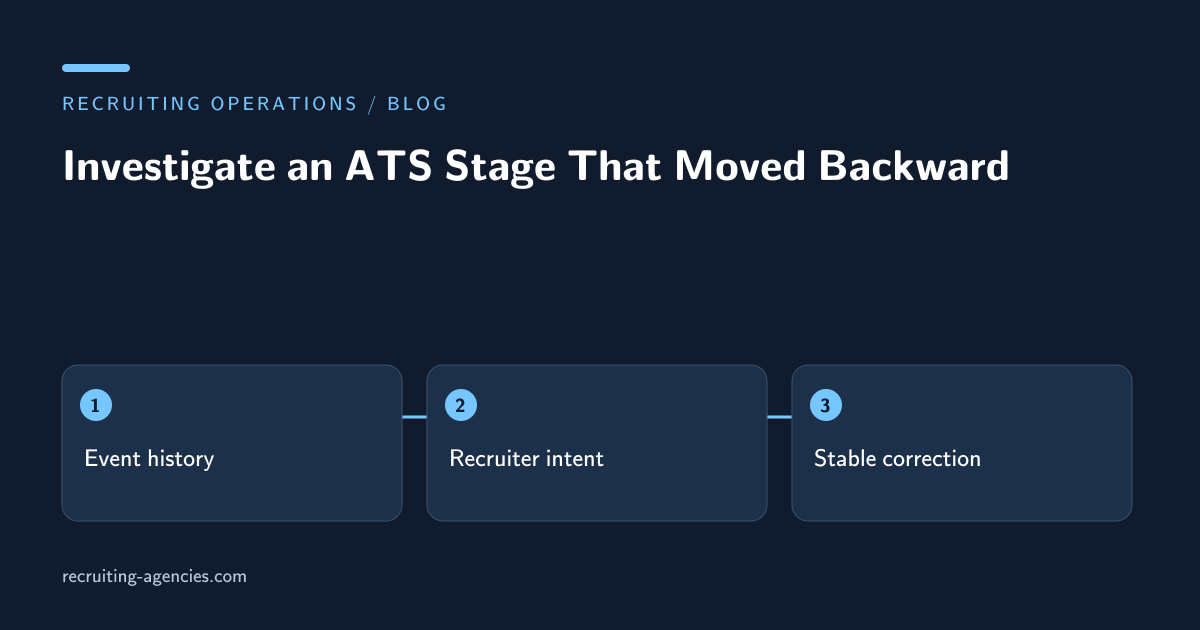
An application was in final interview yesterday and appears in initial screening today. The obvious response is to move it forward again. That may be correct, but it can also conceal a legitimate recruiter decision or start an integration loop that moves it backward again an hour later. Before changing the record, establish what happened and who has authority to determine the intended stage.
This is a task an assistant can investigate without making a hiring decision. The assistant collects the application's event sequence, identifies the systems involved, and prepares a narrow correction request. The recruiter confirms the candidate's actual process state. The ATS administrator resolves configuration or integration defects.
Establish that the comparison concerns one application
Start with the application ID and requisition ID. A candidate can have separate applications for different roles, and those applications can legitimately be in different stages. Comparing the candidate's profile summary with one role-specific application may create the appearance of regression where none occurred.
Check whether the interface displays a current stage, a last activity label, or a cached summary. Capture the view and its refresh time in the restricted investigation record. Avoid describing a display discrepancy as a database change until the actual application history supports that conclusion.
If the candidate recently moved to a replacement requisition, preserve the link between the old and new applications. A newly created application starting in screening does not prove that the earlier application was moved backward. The reporting implications differ, and the assistant should not resolve the discrepancy by merging applications without authorization.
Reconstruct the event order
Read the available event history around the change. Record the previous stage, new stage, event time, actor or system, and any supplied reason. Keep the original ordering and distinguish an event's occurrence time from the time an integration delivered it.
Imagine that a recruiter advanced an application at 14:10, while an integration later delivered a screening update created at 13:50. If the receiving system applies updates in arrival order, the older information may become the visible current state. This is an illustrative failure mechanism, not a diagnosis of a particular ATS. The administrator must confirm the actual behavior.
A screenshot of the final state alone cannot reveal that sequence. Where the system provides an audit export or integration log, ask the authorized administrator for the relevant excerpt. Do not broaden the assistant's access to unrelated candidate records merely to investigate one event.
Separate intentional moves from technical reversals
Recruiters sometimes return an application to an earlier stage because the process changed, a required conversation was incomplete, or a new role needs separate evaluation. The assistant should ask for the documented reason rather than treating every backward movement as an error.
A stage label also may have been renamed or reordered. If “assessment” now appears earlier in the interface than “screening,” the visual order may change without any application transition. Check the configuration change history with the administrator before inferring candidate movement from column position.
Where no reason is available, describe the uncertainty directly: “Application moved from final interview to screening; actor is integration account; recruiter intent unconfirmed.” That statement gives the owner a concrete question. “ATS broken” is too broad to support a safe correction.
Check downstream effects before repair
Stage changes may trigger emails, tasks, calendar actions, or reporting updates. Identify which consequences occurred after the regression. Correcting the visible stage may not cancel a queued message or remove a duplicate task. The owner needs the full operational impact, not just the current label.
If a candidate received an inappropriate automated message, route the communication to the recruiter for a truthful correction. Do not silently delete the message history. The candidate's understanding of the process matters even after the internal record is fixed.
Check whether the integration will send the same update again. Repeated manual corrections can create an endless cycle if the upstream source remains unchanged. The assistant can document repeat times and matching event references; the administrator decides how to repair synchronization through supported controls.
Prepare a bounded correction request
Include the affected application, observed sequence, recruiter-confirmed intended stage, consequential automation, and the proposed correction owner. State whether the request concerns one record or a broader set of applications. A single observed failure is not proof that every record in the system needs a bulk update.
If a bulk repair is proposed, define its selection criteria and preview the affected records before execution. Have the recruiter or administrator review unexpected inclusions. A filter based only on current stage may catch legitimate screening applications as well as the erroneous ones.
Protect the investigation material. The FTC's personal-information guidance emphasizes knowing what information is held and restricting access. In practice, share a narrow application reference and relevant event excerpt rather than a full candidate export in a general incident channel.
Verify stability after the authorized change
Once the owner applies the correction, verify the application state and the affected downstream tasks. Check again after the relevant synchronization cycle if the administrator identifies one. A record that remains correct for ten seconds but reverses at the next scheduled update is not a completed repair.
Record the observation times and the systems checked. Avoid promising that the defect can never recur. The closeout should say what was corrected, what evidence supports the current state, and whether a configuration follow-up remains assigned.
For a legitimate recruiter-directed reversal, the closeout may require no technical change at all. Instead, document the reason and ensure the candidate communication and reporting reflect the intended process. The investigation succeeds when the state becomes explainable, not only when it results in an edit.
Keep a useful exception pattern
Group future cases by verified cause: late integration update, manual selection error, workflow configuration change, display lag, or intentional recruiter movement. Keep an unknown category for cases without sufficient evidence. Guessing a cause makes trend reporting less useful.
Review recurring verified causes with the system owner. If the same integration repeatedly overwrites recruiter changes, a permanent configuration decision is more appropriate than assigning an assistant an expanding daily correction queue. The assistant can demonstrate frequency and affected records while the owner decides the system behavior.
Is moving the stage forward a hiring decision?
It can be. A stage may imply that a recruiter approved a candidate for another step. An assistant should only apply the documented correction after the authorized owner confirms the intended state.
What if the ATS has no accessible event history?
Preserve the observed states, available timestamps, and recruiter account of events, and label the cause unconfirmed. Ask the administrator what supported evidence is available. Do not manufacture a chronology from assumptions. ATS pipeline support can include this investigation and exception handoff; discuss the scope before granting edit authority.