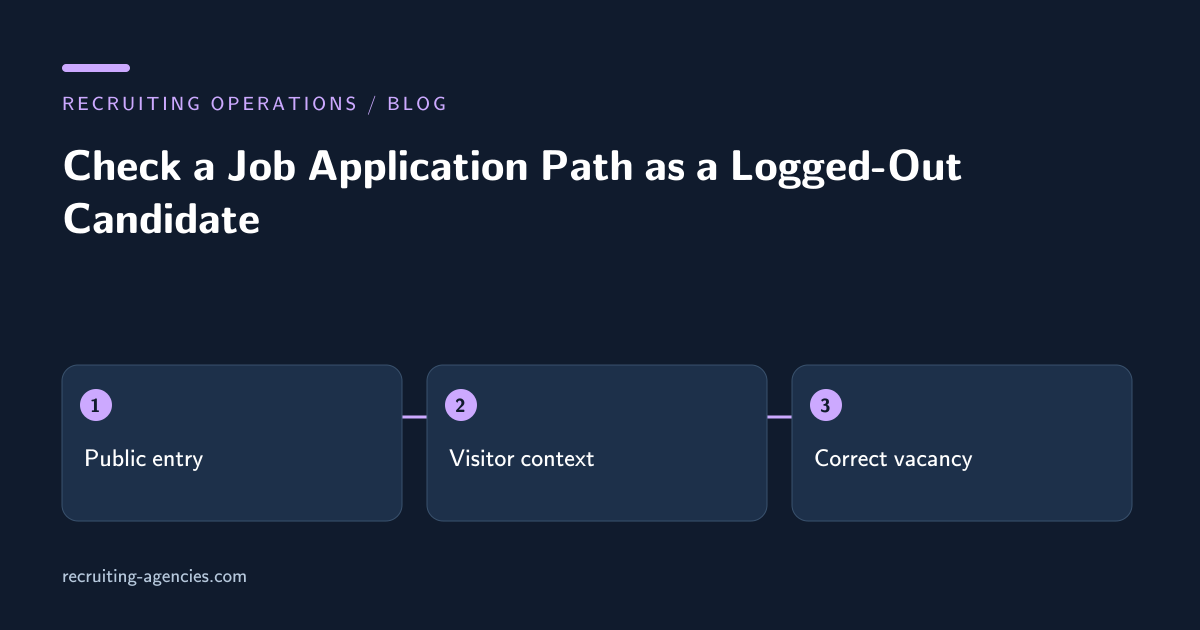
An administrator clicks a job advertisement and reaches the application form immediately. A candidate clicks the same link and lands on an account error. The difference is the administrator's existing session. A preview performed while signed into the recruiting system can conceal authentication walls, internal-only URLs, and permissions that ordinary applicants do not have.
A logged-out path check follows the approved public route far enough to identify operational defects without submitting an application. It is a useful task for a recruiting virtual assistant because it tests the connection between published job copy and the intended candidate action. The assistant reports the defect; the system owner controls authentication and form changes.
Start from the actual published entry point
Use the public advertisement URL that candidates receive, not a saved administrator preview. Record the platform, listing identifier, requisition reference, and observation time. If the advertisement is distributed through several channels, select the entry points that the posting owner wants checked.
Open the route in an approved browser context without the agency's recruiting-system session. Do not use another person's account or attempt to bypass access controls. The purpose is to observe the experience offered to a normal visitor, including any legitimate account-creation requirement.
A route can be technically available yet operationally wrong. Check that the visible employer, title, location, and requisition agree with the advertisement before proceeding. A successful page load that opens a different job is a defect even if no error message appears.
Follow redirects and retain the job context
Some application links pass through tracking or board pages before reaching the ATS. Observe the final destination and whether the intended vacancy remains selected. Do not classify every redirect as a failure; the question is whether the approved journey remains coherent and reaches the correct job.
If the destination is a generic careers search, record whether the candidate can identify the advertised vacancy without guessing. A missing requisition parameter may be the cause, but label that as a suspected cause until the site owner confirms it. The assistant should report the observed outcome rather than editing tracking parameters experimentally in the live posting.
Check the return path after a legitimate sign-in or account prompt using an authorized test account only when that step is in scope. Some systems lose the selected job after authentication. If no test account is authorized, stop at the prompt and record that the post-authentication path was not tested.
Inspect the form without creating a candidate record
Verify that required controls are visible and that instructions explain what the candidate must provide. Do not enter a real person's information or upload a résumé to test the form. If the owner wants submission testing, use a separately approved procedure with designated test data and a cleanup plan.
A non-submission review can still identify missing labels, overlapping elements, inaccessible buttons, and a file-upload control that offers no stated format guidance. Record the device and browser context so the owner can reproduce the issue. Avoid making broad claims about all mobile devices from one test.
Where a form automatically saves entries before final submission, even partial data entry may create a record. Confirm this behavior with the system owner before typing test information. The safest default for this check is navigation and inspection only, with interaction limited to controls that do not transmit candidate data.
Check keyboard and small-screen navigation
Use the keyboard to move through the visible application controls. Note whether focus is visible, whether the order is understandable, and whether a dialog traps the user without an obvious way to close it. These observations can reveal barriers that a mouse-only administrator preview misses.
The W3C's Easy Checks accessibility resource provides preliminary checks, including keyboard access and visible focus. It explicitly serves as an initial review rather than a comprehensive accessibility evaluation. An assistant's path check should retain that same limitation and route technical accessibility findings to the responsible owner.
On a small screen, check whether essential instructions and buttons remain reachable without overlapping content. Record the viewport used and capture only the relevant public interface. A screenshot is useful evidence when it shows the failing control and the context needed to reproduce it, rather than an entire desktop with unrelated information.
Examine errors and recovery instructions
A candidate may encounter an expired link, unsupported file message, session timeout, or a generic system error. Check whether the interface explains the next useful action. Do not repeatedly trigger failures or stress the service; one reproducible observation is enough for an initial defect report.
If the application page says the job is closed while the advertisement still invites applications, reconcile the role status with the recruiter. The correct repair may be closing the advertisement rather than reopening the form. The assistant should not decide that maintaining application volume takes precedence over the employer's actual hiring status.
A support contact can help candidates report trouble, but it is not a substitute for a functioning application route. Verify that the contact is approved for applicant questions and that its instructions do not ask candidates to email sensitive documents unnecessarily.
Write a defect report the owner can use
Include the starting URL, expected requisition, browser context, observed destination, exact failing step, and a concise expected outcome. Separate confirmed facts from a proposed cause. “Logged-out visitor is sent to an internal account login” is stronger evidence than “authentication is broken.”
Classify impact by the action prevented. A cosmetic spacing issue differs from an application button that cannot be activated. The owner should determine priority, but the assistant can make the impact clear enough to support that decision.
After repair, repeat the original route in the same logged-out context. A screenshot from an administrator account does not prove that the candidate defect is fixed. Check affected entry points and record any part of the journey that remains untested.
Keep the check proportionate
Run the relevant path check when a job goes live, when its application URL changes, or when a candidate reports a problem. Repeating the entire process after every minor wording edit may add little value unless the publishing system regenerates links or changes the destination.
Maintain a small set of representative devices and entry paths chosen by the owner. Expand the check when evidence points to a new failure pattern. The purpose is to find actionable barriers, not to claim universal compatibility from a short checklist.
Does a required account mean the job link is broken?
No. Account creation may be intentional. The defect is an unintended barrier, incorrect context, unclear recovery, or behavior inconsistent with the approved application process.
What should an assistant report as complete?
State exactly which public entry points and non-submission steps were checked. Keep submission and accessibility certification outside that claim unless separately performed. Job posting support can include this candidate-path review; discuss the workflow to define its boundaries.